How to Find Any Favicon from Any Website
Overview
I was working on a project and had to get favicons for hundreds of articles, and honestly, it was painful to find each one manually. Every website has its own favicon file, sometimes hidden deep in their HTML, and scraping them one by one just isn’t practical.
So, I wanted to find a simple and fast way to do this automatically and that’s how I ended up creating Favicon Finder.
The Problem
Most websites include a favicon in their HTML, something like this:
<link rel="icon" href="/favicon.ico">But not all sites follow the same convention.
Some use PNGs, some host icons on CDNs, and others have multiple versions for different devices.
If you’re building a news aggregator, a bookmarking app, or anything that lists URLs dynamically, you’ll quickly realize you need a reliable way to fetch favicons automatically.
The Solution
There are a few public (and some semi-hidden) APIs that make this process much easier.
Let’s go through them
1. Google S2 Favicon API (Official & Public)
This is Google’s official service for getting favicons from any domain.
https://www.google.com/s2/favicons?domain=bbc.com&sz=64
-
Parameters:
-
domain: The website domain (nohttps://required) -
sz: Size (from 16 to 128)
-
Example:
<img src="https://www.google.com/s2/favicons?domain=cnn.com&sz=64" />
Pros:
- Stable and publicly accessible
- Simple to use, no API key required
- Supports custom sizes
Cons:
- Limited to
.ico-style icons (no high-res logos) - Returns only one icon per domain
2. DuckDuckGo Favicon API (Public)
DuckDuckGo also provides a free favicon service:
https://icons.duckduckgo.com/ip3/bbc.com.ico
Pros:
- Works reliably for most domains
- No authentication required
- Easy fallback option
Cons:
- Only serves
.icofiles - May not always have large sizes or transparent backgrounds
3. Google’s Hidden GStatic Favicon API (Unofficial)
This is the one many people notice when inspecting Google News or Search:
https://encrypted-tbn2.gstatic.com/faviconV2?url=https://bbc.com&client=NEWS_360&size=96&type=FAVICON&fallback_opts=TYPE,SIZE,URL
It’s fast and often returns high-quality icons, but it’s an internal Google API — not meant for public use.
Important:
-
It’s undocumented and may change or stop working anytime.
-
Using it in production may violate Google’s Terms of Service.
Best used only for experimentation or learning purposes.
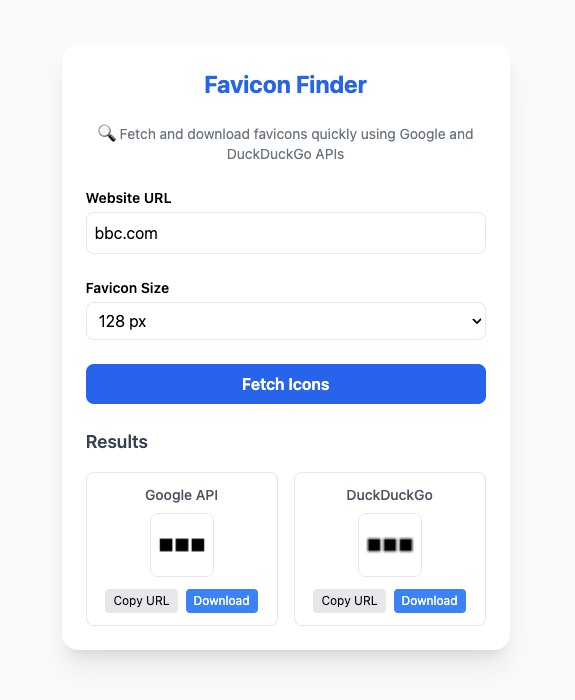
About the Tool - Favicon Finder
Favicon Finder is a simple interactive web app built using HTML, JavaScript, and Tailwind CSS.
It lets you:
-
Enter any website URL
-
Automatically extracts the domain name
-
Choose the favicon size
-
Fetch favicons from both Google and DuckDuckGo
-
View and compare the icons
-
Copy the URL or download the image directly
Tech Stack
-
Frontend: Vanilla JavaScript + Tailwind CSS
-
APIs Used:
-
Google S2 Favicon API
-
DuckDuckGo Favicon API
-
Demo Screenshot
How It Works
-
You type a website URL like
https://bbc.com -
The script extracts the domain:
bbc.com -
It constructs URLs for both APIs:
https://www.google.com/s2/favicons?domain=bbc.com&sz=64https://icons.duckduckgo.com/ip3/bbc.com.ico
-
The app displays both icons and gives you options to:
- Copy URL
- Download Image
Simple, fast, and super useful for developers who work with multiple sources.
Limitations
| API | Limitation |
|---|---|
| Google S2 | Doesn’t always return transparent PNGs |
| DuckDuckGo | Lower resolution for some sites |
| GStatic (unofficial) | May break anytime / not for production |
Conclusion
If you ever need to grab favicons for multiple websites — don’t waste time inspecting HTML manually.
APIs like Google S2 and DuckDuckGo make it incredibly easy, and tools like Favicon Finder wrap it into a simple UI that anyone can use.
You can check out the full project here: github.com/JamithNimantha/favicon-finder